UPS Sizing Guide for Hospitals and Healthcare Facilities
Why healthcare facilities require specialized UPS solutions and how to size them for life-critical equipment.

Choosing the right UPS system is one of the most critical decisions for protecting your business operations. An undersized UPS leaves you vulnerable, while an oversized one wastes resources. This guide walks you through everything you need to know.
Key Takeaways: Choose the correct UPS capacity for your load requirements. Consider future expansion when sizing your system. Battery quality and maintenance directly impact reliability.
Understanding Your Power Requirements
Start by calculating the total wattage of all equipment you need to protect. Include computers, servers, networking gear, and any other critical loads. Add a 20-30% buffer for future expansion.
A proper load assessment is the foundation of any reliable power protection strategy. Without it, you risk either under-sizing (leaving equipment exposed) or over-sizing (wasting capital on unused capacity).
| Equipment Type | Avg. Wattage | Typical Count | Total Load |
|---|---|---|---|
| Desktop Computer | 200-300W | 10 | 2,000-3,000W |
| Monitor | 30-60W | 10 | 300-600W |
| Network Switch | 50-200W | 2 | 100-400W |
| Server (Rack) | 500-800W | 2 | 1,000-1,600W |
Always size your UPS at least 20-30% above your current load to account for future expansion and peak power demands.
Choosing UPS Capacity
To determine the right UPS capacity, add up the wattage of all connected devices, divide by the power factor (usually 0.6-0.8), and add 20-30% headroom for growth and efficiency.
For example, if your total load is 2000W and the power factor is 0.8, you need a 2500VA UPS. Adding 30% headroom brings you to approximately 3250VA—so a 3kVA or 5kVA unit would be appropriate.

| Load (Watts) | Power Factor | Required VA | With 30% Headroom |
|---|---|---|---|
| 1,000W | 0.8 | 1,250 VA | 1,625 VA |
| 2,000W | 0.8 | 2,500 VA | 3,250 VA |
| 5,000W | 0.8 | 6,250 VA | 8,125 VA |
Online vs Offline UPS
Online UPS provides continuous double-conversion power conditioning. Best for sensitive equipment and critical applications where zero transfer time is essential.
Line-Interactive UPS offers good protection with higher efficiency. Suitable for small to medium business applications where cost-effectiveness is a priority.
| Feature | Online UPS | Line-Interactive UPS |
|---|---|---|
| Transfer Time | Zero | 5-12ms |
| Power Conditioning | Full double conversion | AVR regulation |
| Efficiency | 85-95% | 95-98% |
| Best For | Data centers, medical | Offices, home use |
| Cost | Higher | Moderate |
Common Sizing Mistakes
One of the most frequent errors is undersizing the UPS based solely on current load without considering future growth. Another common mistake is ignoring the power factor, which can significantly affect the actual available capacity.
Failing to account for peak loads during startup—when equipment draws significantly more power than during normal operation—can also lead to unexpected shutdowns.
Never connect laser printers to a UPS. Their high power draw during printing can overload the unit and cause shutdown.
Battery Maintenance
Determine how long you need backup power during an outage. For most businesses, 10-15 minutes provides sufficient time for orderly shutdown or generator startup. Critical facilities may require extended runtime of 30 minutes or more.
Key features to look for include SNMP monitoring capabilities for remote management, hot-swappable batteries for zero-downtime maintenance, parallel redundancy for mission-critical applications, and Emergency Power Off (EPO) functionality.
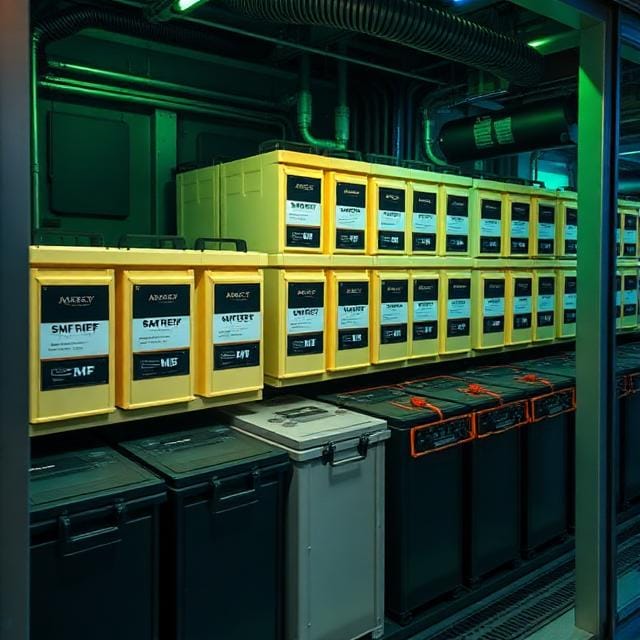
Regular preventive maintenance extends battery life significantly. Schedule quarterly inspections to test battery capacity, check connections, and identify potential issues before they cause failures.
Selecting the correct UPS isn't about buying the biggest system—it's about matching capacity to your critical load while planning for future growth.— Power Consilium Engineering Team
Frequently Asked Questions
Online UPS provides continuous double-conversion power conditioning with zero transfer time, while Offline UPS switches to battery when it detects a problem with a brief 5-12ms transfer time. Online UPS is preferred for critical equipment.
Most UPS batteries last 3-5 years under optimal conditions. Factors like temperature, discharge cycles, and charging patterns affect battery longevity. Regular testing helps determine the optimal replacement time.
Calculate the total wattage of all equipment you need to protect, then add a 20-30% buffer for future expansion. A professional load assessment can determine the exact requirements for your specific setup.
Add up the wattage of all connected devices, divide by the power factor (usually 0.6-0.8), and add 20-30% headroom for growth and efficiency. This gives you the VA rating you need.
A typical UPS AMC includes preventive maintenance visits, emergency breakdown support, card-level repair, battery testing, health check reports, and genuine spare parts replacement.
Yes, most modern UPS systems can work with generators. The UPS conditions the generator power and provides seamless backup during switchover, ensuring clean power reaches your equipment.
Conclusion
Choosing the right UPS requires careful assessment of your current and future power needs. Start with a thorough load analysis, factor in growth projections, and select a topology that matches your criticality requirements.
Professional installation and regular maintenance are essential for ensuring long-term reliability. A well-chosen UPS system protects not just your equipment, but your business continuity and bottom line.
Need help selecting the right UPS for your business?
Contact our engineering team